 Computational Fluid Dynamics for Structural Wind Loading
WindCFD

WindCFD 2026
WindCFD is BIMWERX FEA's structural wind loading workflow powered by GenFEAx and its Quasi3DCFD solver features. It is fast, meshless, multi-threaded, and designed for practical project modelling from small building studies through to macro-scale project domains.
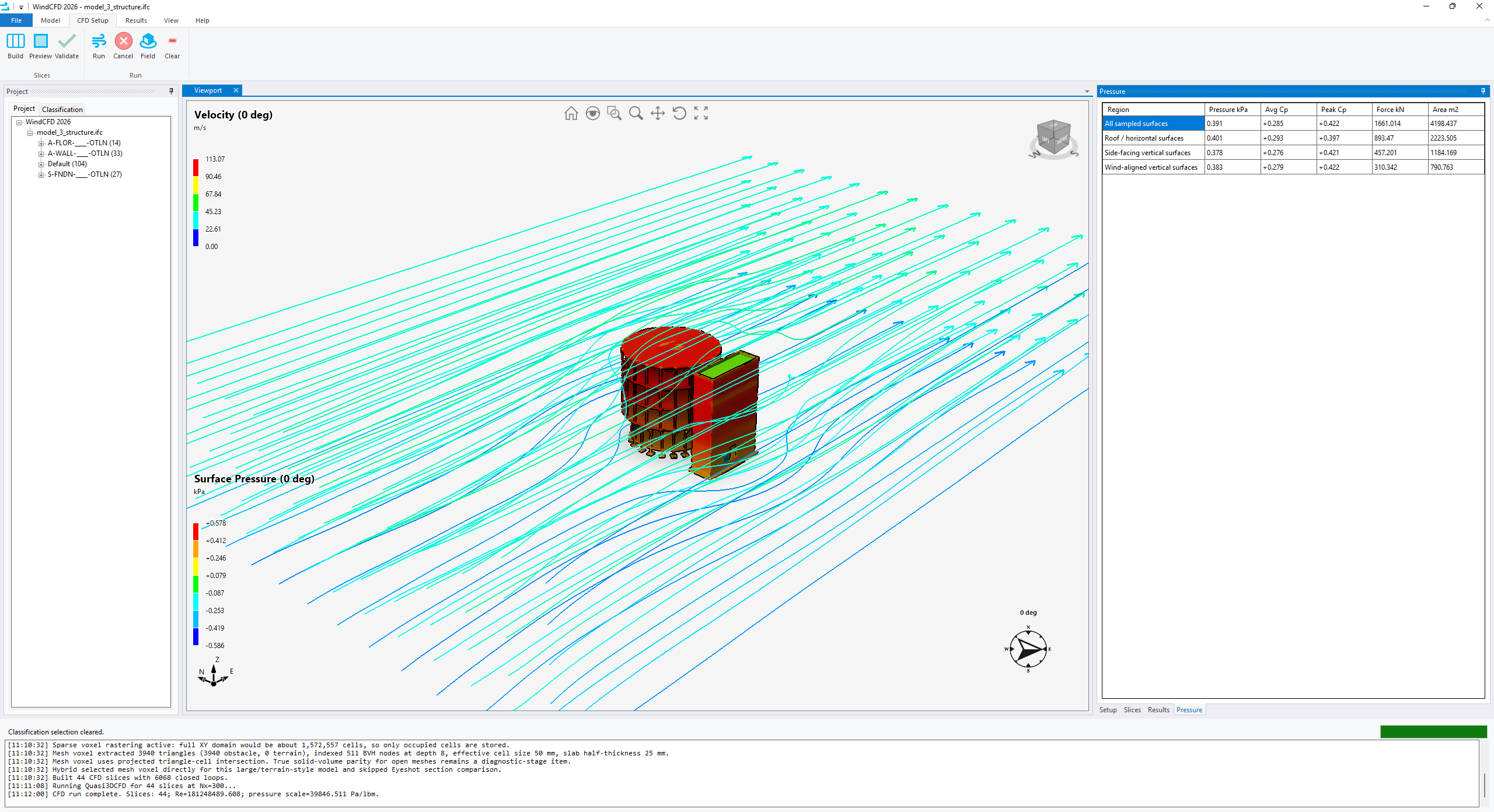
The new WindCFD interface imports IFC, IGES, and SAT model files directly, then provides clear tools for element classification, domain setup, directional wind definition, slice generation, and result review. The workflow is deliberately project focused: prepare the model, classify the surfaces, define the CFD domain, run the GenFEAx Quasi3DCFD solver features, and export simplified pressure data for downstream structural analysis.
Setup, Solve, Review
WindCFD keeps the wind analysis workflow visible and controllable without forcing users through a heavy traditional CFD setup.
Direct CAD and BIM Import
Import IFC, IGES, and SAT geometry directly into the WindCFD interface.
Model Classification
Classify imported entities as buildings, terrain, bridges, and other wind-domain participants.
Domain Controls
Set wind direction, resolution, padding, boundary layer inputs, and slice definitions from one workflow.
Small to Macro Scale
Apply the same workflow to individual structures, infrastructure models, and large project domains.
Plane Slice Results
Display XY and XZ plane slices through velocity and pressure fields for easier interpretation.
Structural Outputs
Review simplified pressure regions and connect results into GenFEA and GenFEA Web workflows.
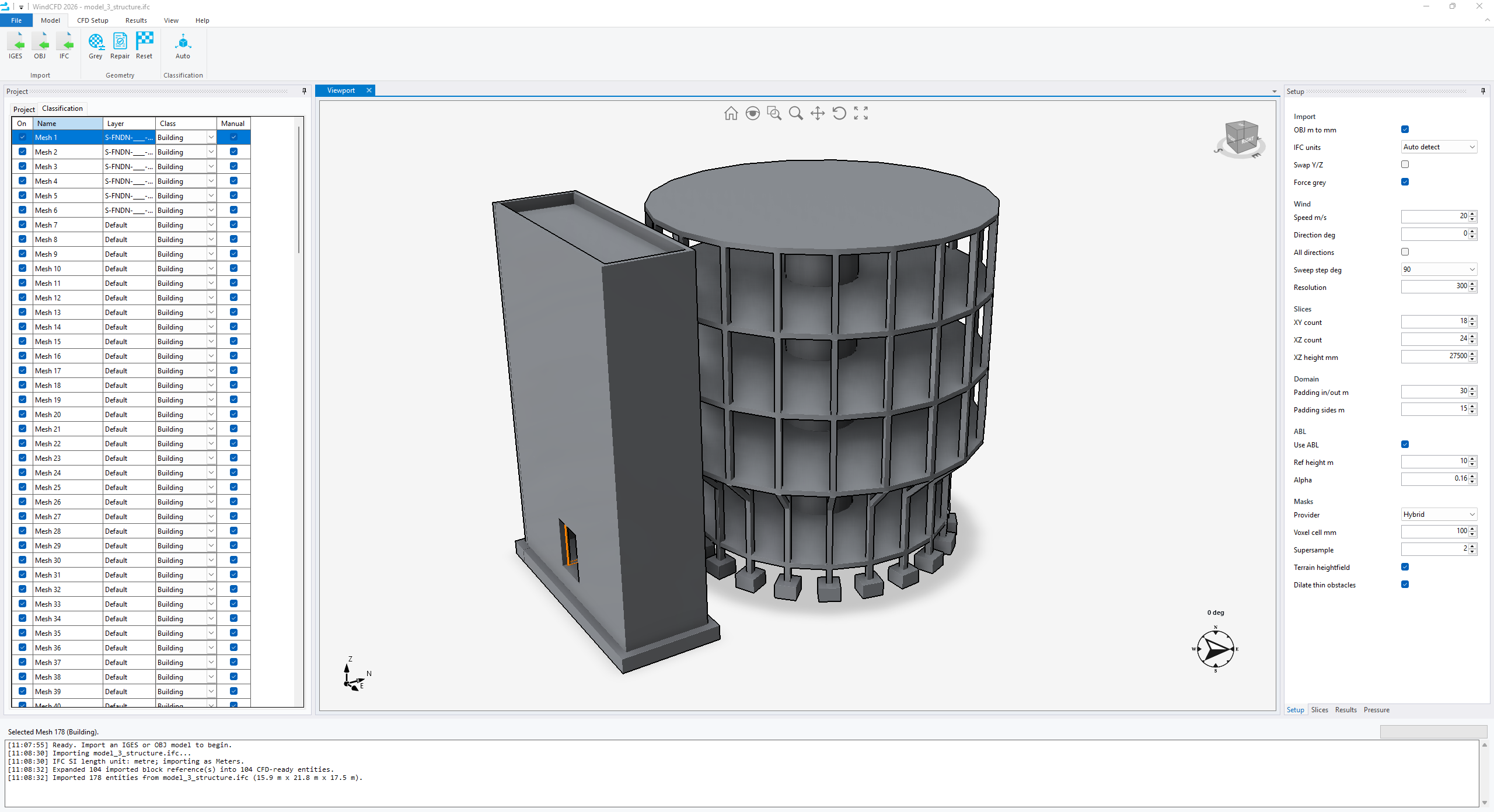
Import and Classify
Bring in IFC, IGES, and SAT models, repair or grey geometry, and classify elements for CFD-ready project setup.
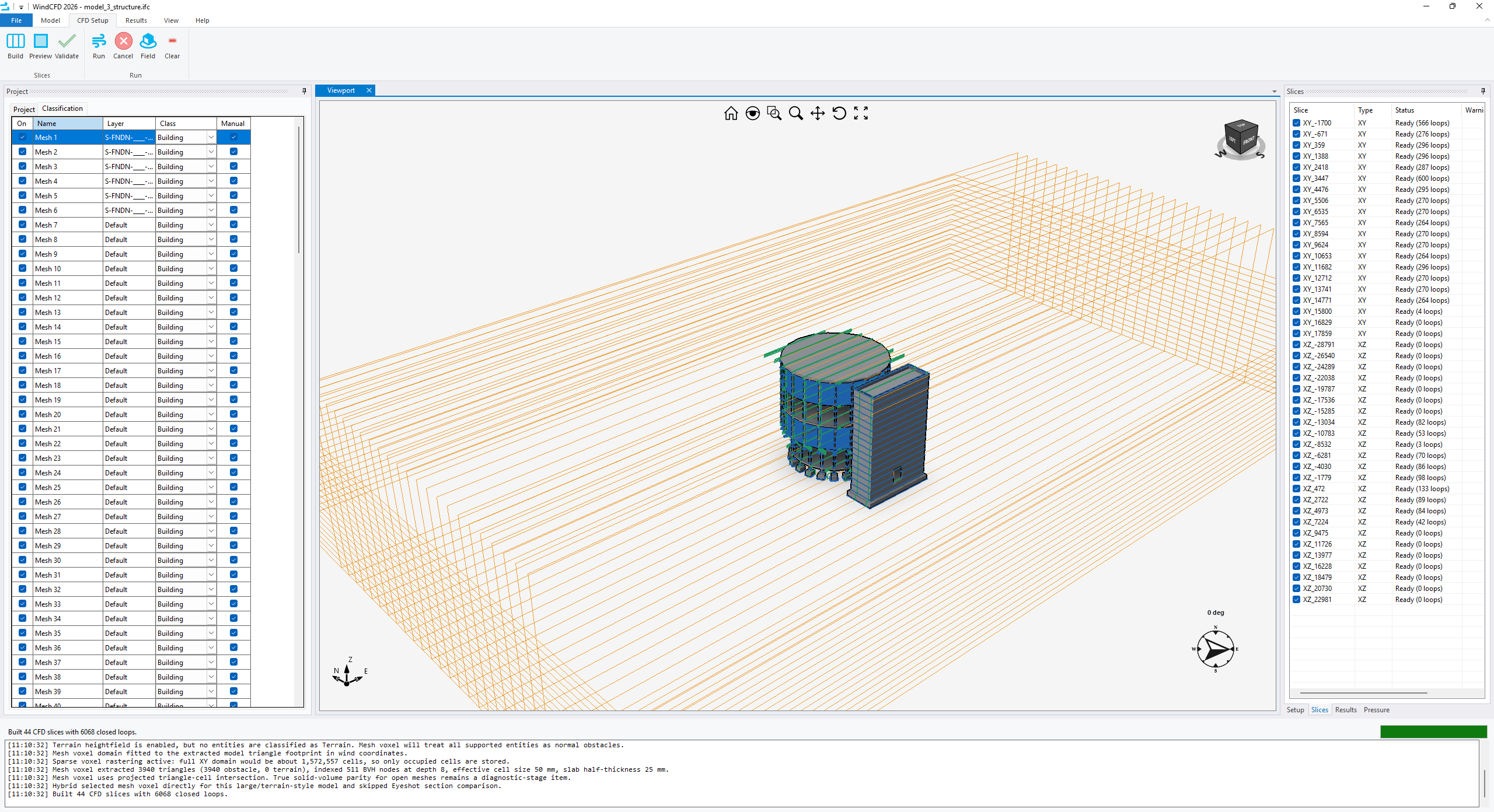
Domain and Slice Setup
Preview and validate the analysis domain, then generate directional slices ready for Quasi3DCFD solving.
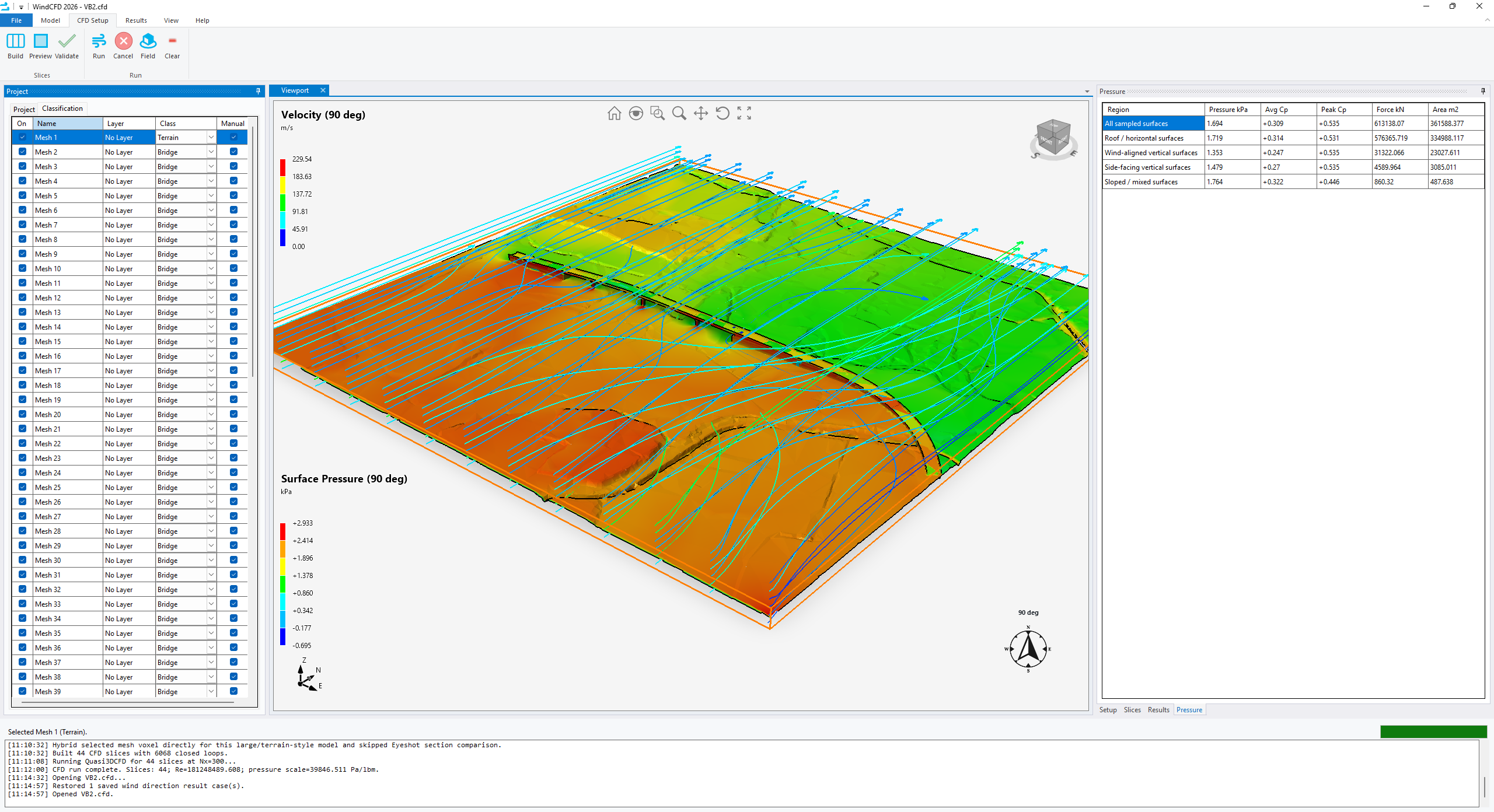
Large Project Domains
Run infrastructure and terrain-scale wind studies with simplified pressure summaries for sampled surfaces.
Simplified Results
View velocity streamlines, surface pressures, force totals, average coefficients, and peak coefficients.
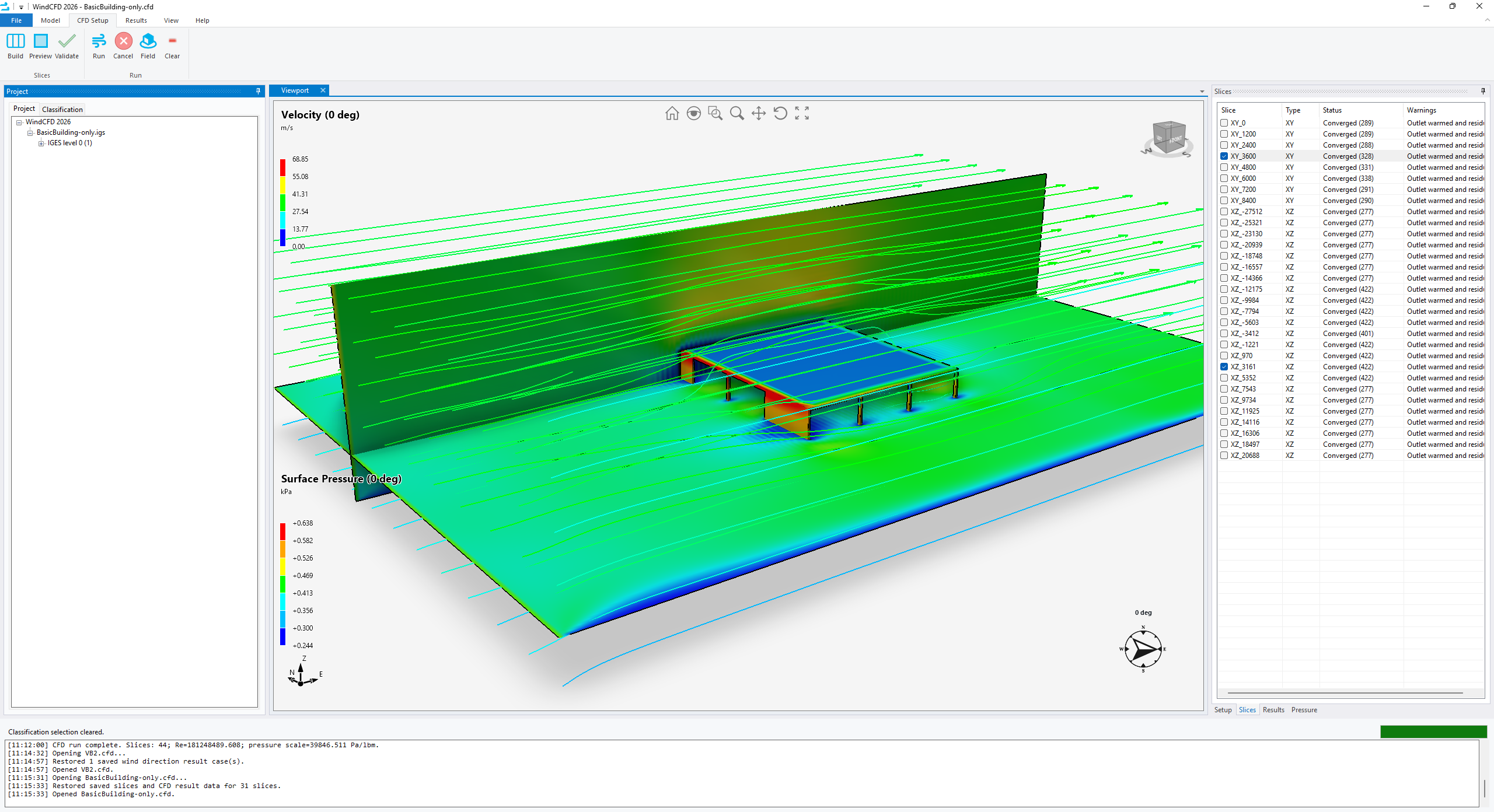
Plane Slices
Inspect pressure and velocity through selected result planes to understand flow behavior around the model.
Validation and Training
WindCFD remains connected to BIMWERX validation resources and training material. Use the validation page to review the current wind tunnel comparison summary, or open the tutorial library for workflow guidance.
Download Area
Download and install WindCFD from the link below. No credit card required to try WindCFD. You will require a trial license through our cloud-based licensing platform, CumulusGate.
Contact Us
Leave us a message and we will get back to you: